The Read Me file for UNIMODEMV can be obtained at the following URL:
http://support.microsoft.com/support/kb/articles/Q140/3/23.asp
| Note: | Due to constantly changing web pages, the above URL’s may possibly change. If you have problems bringing up either URL, or do not have internet access, you should contact Microsoft for further assistance. |
| Note: | The file USRWAVE.INF is needed to install a model 1171 or 1172 Voice Modem in Windows 95. This file is ONLY for Voice Modems and allows the modem to be used as a Wave Device Player/Recorder. |
If you have a Sportster Vi with VoiceMail (models - 00027701, 00027800, 00027900, 00028200, 00028201 or 00028202), then the file USRWAVE.INF is not necessary.
DRVIDX.BIN
DRVDATA.BIN
If the modem is in Legacy mode (non-PnP), then select the Add New Hardware option from the Windows Control Panel. It will then rebuild the INF Database and should automatically setup your modem. If your modem is not automatically detected, pick the appropriate model from the modem picklist.
| *PnP - | Plug and Play support allows Windows 95 to automatically configure the resources (COM/IRQ) for the modem. If you are installing a Plug and Play internal Sportster, remove the jumpers from the modem. Non-PnP Sportsters will have to be jumpered to a COM and IRQ setting in order to be properly configured. |
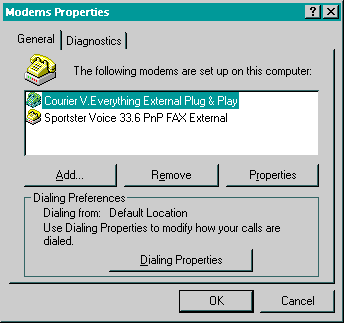
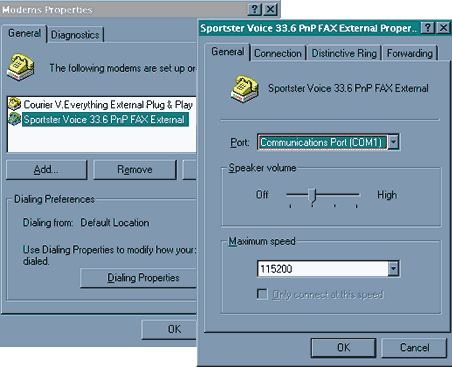
The modem should now be properly set up for use with any Windows 95 - 32 bit TAPI Voice, Data or Fax application. As seen below, Distinctive Ring and Call Forwarding are now added to the Modem Control Panel Properties
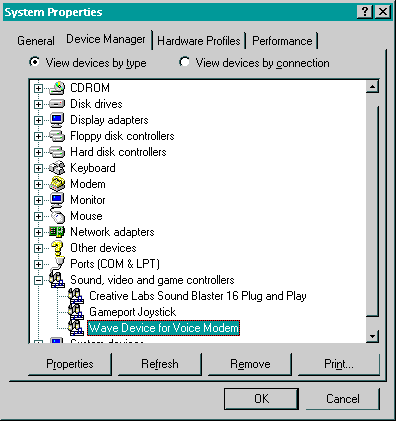
Also, if you have a model 1171 or 1172 Voice modem, a Wave Device for Voice Modem will be added to the Device Manager (shown below).