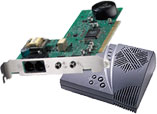
| USRobotics voice and USRobotics Vi modems only |
Windows 95/98 UNIMODEM/V and TAPI support.
This is not for USRobotics Data/Fax modems.
|
| usrwave.inf |
2401 bytes |
04-17-98 |
| USRobotics Modems excluding the WinModems including 00178500, 00178501, 00178400, 00568400, 00568500 |
Win 95/98/NT INF files
Download this file to your hard disk drive. Double-click the file in Windows Explorer and the file will self extract to a 3.5-inch disk.
|
| mdmusr.exe |
91851 bytes |
02-26-99 |
| USRobotics Voice 33.6k and 56k modems bought between January 1996 to present Including 001171-02, 001171-01, 001171-0000117102 00117101 00117100 (bad sku -550 6345 a) |
Windows 95/98/NT 4.0 driver
Copy this file to a blank 3.5-inch disk. In Control Panel, double-click Modems and remove all Sportster modems. Restart your computer. When prompted, select "Change" or "Have Disk" and point the installation to the 3.5-inch disk. Select the appropriate model and then follow the prompts to finish the installation.
NOTE: You will need to download the usrwave.inf file (above) to complete the modem's installation.
|
| mdmusrv.inf |
51105 bytes |
04-17-98 |
| Sportster Vi 14.4k/28.8k/33.6k modems bought BEFORE January 1996 |
Windows 95/98/NT 4.0 driver
From Device Manager, remove all Com ports provided by the modem installation (for example, if it is an internal modem creating a Com port, remove it). Copy the attached .inf files to your c:\Windows\INF directory. This should be done using the command prompt on most systems since the .\INF directory is typically marked as hidden. Delete all .bin files from the c:\Windows\INF directory. Restart the computer. If the modem is in "PnP" mode, it should be auto-detected and installed. If the modem is in legacy mode, the user will need to install the modem manually.
|
| mdmusrvi.inf |
44600 bytes |
09-17-97 |
| Other Files |
| Update for Delrina Talkworks. Now supports Sportster Vi. |
| usrpromp.exe |
1335100 bytes |
03-08-96 |
|
Product Manuals
Simple, step-by-step instructions to connect, install, and register your USRobotics product.
FAQ's and Documents
Hardware
Software
Technical References
-
Technical Reference Guide for Sportster High Speed modems with Personal Voice Mail
(txt) (hlp) (doc)
|